
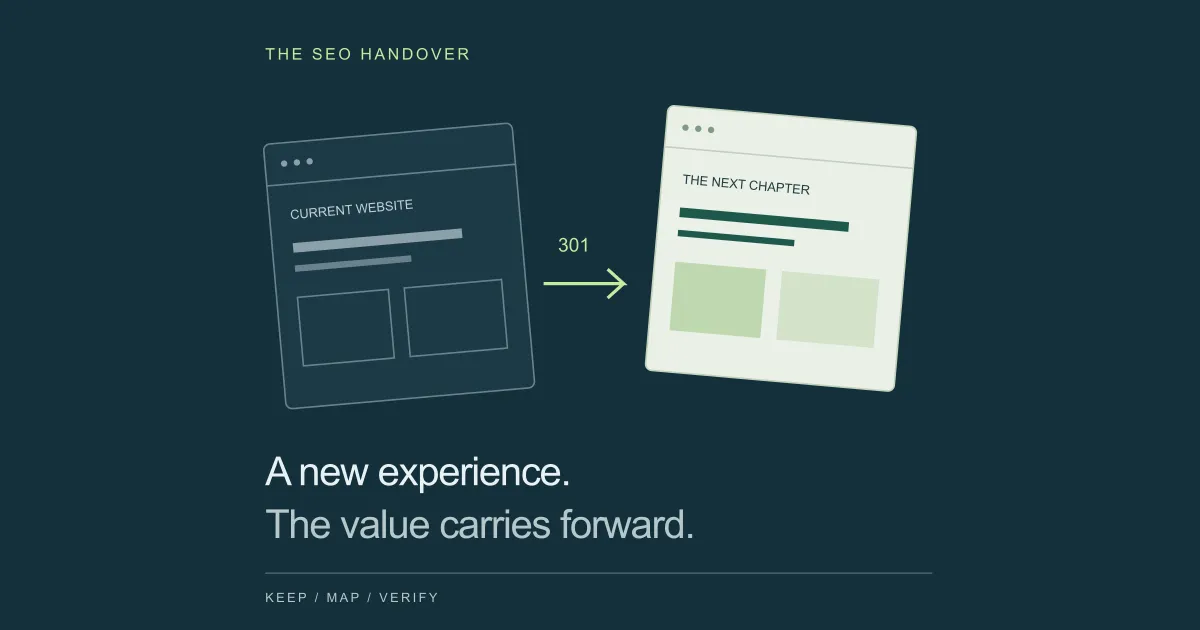
Does a website redesign affect SEO?
It can. A redesign may alter the page content, navigation, URLs, or technical signals that search engines use. Even a project described as “just a new look” can remove a useful service page, change an SEO setting, or put important content behind a broken script.
Start by writing down exactly what will change. A new layout on existing URLs needs different checks from a domain migration. If several changes are planned, separate them into releases where practical. Google recommends making major changes in sequence. Google’s site-move guidance
Match your checks to the actual project scope
| What changes? | What to verify |
|---|---|
| Design or theme; same URLs | Content, headings, mobile parity, links, metadata, rendering. |
| CMS or website platform | All of the above, plus permalink rules, canonicals, plugins, and response headers. |
| Paths on the same domain | A reviewed old-to-new URL map and tested permanent redirects. |
| Domain or subdomain | Redirects, ownership verification, old-domain availability, and applicable Search Console steps. |
For example, replacing /services/roof-repair/ with a short paragraph on a general services page changes what the site offers searchers. Keeping the old address alone does not preserve the answer people came for.
Capture a baseline you can actually compare.
Save the evidence before templates and content start changing. Our recommended project baseline has three parts: a URL inventory, search performance, and business outcomes. Give each export a date and keep a read-only copy.
Build your URL inventory from more than a crawl.
A crawler finds linked pages; it can miss pages that have lost their internal links. Combine your crawl with the XML sitemap, CMS export, Search Console landing pages, analytics landing pages, and any available backlink or server-log records. Include PDFs, images that attract visits, old campaign URLs, and relevant parameter-based pages.
Record each address, response status, canonical, title, H1, indexability, and internal links. Save the useful copy and page assets too. Mark commercial importance separately: a low-traffic enquiry page may matter more than a high-traffic article that rarely supports a sale.
Save search and conversion data.
Export Search Console clicks, impressions, click-through rate, and average position by page and query. Save device and country segments for your main markets. Use a recent period such as the last 28 days for an operational comparison, then inspect a longer history for seasonal demand.
Google recommends reviewing up to 16 months and comparing similar periods when diagnosing changes. Do not compare a holiday peak with an ordinary month and attribute the difference to the redesign. How Google recommends investigating traffic changes
Save organic leads, completed purchases, and conversion rate from your analytics setup. Record which events count as conversions and test them again after launch. A tracking tag disappearing can look like a marketing collapse even when search visits remain steady.
Preserve search intent, useful content, and internal links.
For each priority page, write one sentence describing the visitor’s job: compare a product, understand a process, solve a problem, or choose a service in a particular location. Use that sentence to review the new design. Can the visitor still complete the same job?
Keep essential explanations, product details, service coverage, useful FAQs, and evidence available in the new layout. Improve outdated or misleading material. Our recommendation is to schedule major positioning changes and broad copy rewrites separately when possible, so their effects are easier to understand.
-
Titles: preserve the page’s specific topic and a clear reason to click; avoid replacing every title with a generic brand slogan. Google’s title guidance
-
Descriptions: carry over accurate, useful summaries and improve weak ones. Google may choose a different snippet from the page content. How search snippets work
-
Headings: make the main topic clear and structure supporting information so people can scan it.
-
Internal links: retain meaningful paths to important pages, including contextual links from relevant articles. Update links to the final destinations.
Use descriptive anchor text and real links with href attributes. A visual card controlled only by a click handler can make discovery less reliable. A page that remains live but disappears from your navigation and related content may become much harder to find. Google’s link best practices
Build a redirect map before you change URLs.
Keep a working, relevant URL when there is no strong reason to move it. For everything else, record a deliberate decision. The example below uses fictional paths; your destinations should follow your own content audit.
Example redirect map: keep, move, merge, or retire
| Old URL | Decision | Expected result |
|---|---|---|
/services/ |
Keep | Same URL returns 200. |
/web-design.php |
Move | 301 → /services/web-design/ → 200. |
/old-installation-guide/ |
Merge | 301 → a complete, relevant installation guide. |
/expired-giveaway/ |
Retire | 404 or 410 if there is no relevant replacement. |
Use permanent server-side redirects for permanent moves. Both 301 and 308 are supported; a temporary 302 or 307 communicates a different intention. A canonical tag does not send a visitor from an obsolete address to its replacement. Google’s redirect documentation
Test the journey, including the destination.
For each moved URL, verify that it reaches the intended live page without a loop or unnecessary intermediate hops. Check that the destination returns 200, is indexable, and actually answers the original request. Test HTTP/HTTPS, host variants, case-sensitive paths, query strings, and trailing slashes where your old site used them.
Do not send every deleted page to the homepage. A page with no appropriate replacement can return a genuine 404 or 410. An error message served with 200 can be treated as a soft 404. How Google interprets response codes
Google recommends retaining site-move redirects for as long as possible, generally at least one year. Keep useful old links working longer where practical. Redirect retention guidance
Use staging without carrying its restrictions into production.
Protect an unpublished staging site with authentication or another access control. A public preview URL can otherwise be discovered. robots.txt controls crawling; it does not reliably keep a URL out of search results or protect private information. What robots.txt does and does not do
A noindex meta tag or X-Robots-Tag header can prevent indexing when the crawler can access and read it. Blocking a URL in robots.txt can stop Google seeing its noindex rule. Keep those mechanisms distinct. Google’s noindex guidance
Before approval, compare old and new versions of the homepage, a service page, a category, a product, an article, and other important templates. Check desktop and mobile. Review actual HTML, response headers, and rendered content alongside the visual design.
Search Console generally cannot inspect an authenticated preview. Use your crawler and browser for staging checks, then use URL Inspection on accessible live pages to confirm what Google can retrieve.
Check technical SEO beyond the redirects.
Canonical URLs and language versions.
Make internal links, canonical tags, and sitemap entries agree on the intended production URL. New canonical pages should normally reference themselves. Watch for a template that still points every page to the homepage or preview domain. Google treats canonical signals as preferences, so consistency matters. Canonical URL best practices
For multilingual sites, check that each language page uses the appropriate canonical and that hreflang references the correct, reciprocal language destinations. Include these fields in your migration inventory rather than rebuilding them from memory.
Mobile content and JavaScript rendering.
Google uses the mobile version’s content for indexing. Keep equivalent primary content, useful images, and metadata on mobile; avoid deleting substantive information just to shorten the screen. Accordions can be appropriate when the content remains available. Mobile-first indexing guidance
Google can render JavaScript, but a successful browser view does not prove every crawler sees the same content. Verify important content and links in the rendered HTML. Server rendering or prerendering can reduce dependence on script execution. Check error routes too: a missing product should not become an empty application shell returning 200. JavaScript SEO basics
Performance, structured data, and assets.
Measure representative templates before and after the redesign, particularly on mobile. Good Core Web Vitals thresholds are LCP ≤ 2.5 seconds, INP ≤ 200 milliseconds, and CLS ≤ 0.1, assessed at the 75th percentile of real visits. Lab tests help you find problems; field data shows actual visitor experience and takes time to reflect a release. Web Vitals definitions and measurement
In practical terms, size images correctly, reserve space for media, avoid unnecessary scripts, and test the new navigation and forms on a real phone. Treat a performance score as one diagnostic input; it does not guarantee rankings.
Preserve applicable structured data and make it match visible content. For an article, check author identity, headline, images, and truthful publication and modification dates. Validate the generated output rather than assuming an SEO plugin recreated it. Google’s Article markup guidance
Test image and document links separately from page redirects. A newly designed resource page is incomplete if the downloadable file visitors need returns an error.
Your website redesign SEO checklist.
Use this as a shared review, with evidence attached to each item in your project tracker. Our recommendation: delay launch if a priority page is inaccessible, its redirect is wrong, or the team cannot verify enquiries or purchases.
0 of 18 checks complete
Completion records your review; it is not an automated audit.
Generate a sitemap of the canonical URLs you want indexed, publish it, and submit it through Search Console. A sitemap helps discovery; submission does not guarantee crawling or indexing. Build and submit a sitemap
For a supported domain or subdomain move, use Search Console’s Change of Address tool after redirects are in place. Do not use it for a layout refresh, same-domain path changes, or an HTTP-to-HTTPS move. When the Change of Address tool applies
Monitor the rollout with a named owner.
The following cadence is our suggested operating plan, not a Google recovery timetable. Increase the frequency when revenue is at risk or the migration affects a large URL inventory.
DAY 0–2: Verify the live release.
Re-crawl production, test old entry points, inspect priority pages, review server errors, and confirm forms or checkout work. Fix broken access and wrong destinations immediately.
WEEKS 1–2: Check discovery and measurement.
Review indexing reasons and URL Inspection for representative pages. Track clicks and impressions by page group, check crawl errors, and compare conversions with your saved event definitions.
WEEKS 3–8 & BEYOND: Review the direction of travel.
Compare similar periods, segment by device and market, and review the pages losing relevant queries. Continue longer for larger moves or unresolved issues; maintain redirects after the intensive review ends.
When URLs change, compare the old and new versions together. Otherwise, the old page losing clicks can look alarming while the new one gains them. Keep a launch annotation and an issue log so you can connect changes to evidence.
Google says a medium-sized site move can take a few weeks or more to process, and larger sites can take longer. There is no fixed recrawl schedule or guaranteed completion date. What to expect during a site move
Lost traffic after a redesign? Start with the pattern.
A decline is a reason to investigate. It does not identify the cause. Use the table below as a set of hypotheses, then verify them with responses, rendered pages, and comparable data.
Symptoms and the first checks to run
| What you see | Check first |
|---|---|
| Analytics visits fall; Search Console clicks look steady | Tracking installation, consent changes, event definitions, and reporting filters. |
| Many priority pages become unavailable | Server responses, deployment errors, authentication, and firewall rules. |
| Important pages drop out of the index | Noindex headers or tags, crawl access, canonical targets, and URL Inspection. |
| Only moved pages lose visibility | Missing redirects, wrong destinations, loops, and final-page indexability. |
| A service or topic cluster declines | Removed answers, changed intent, merged pages, and lost internal links. |
| Impressions hold; clicks decline | CTR, titles, snippets, query mix, and changes in the results page. |
| Organic visits hold; leads decline | Forms, mobile usability, offer changes, tracking, and the enquiry journey. |
Fix a confirmed access or redirect failure before experimenting with copy. If the technical checks pass, investigate demand, seasonality, search-system changes, and relevance. Search Console data can lag, and small daily samples are noisy. Google’s traffic-drop troubleshooting guide
A rollback may be appropriate for a severe release failure, but coordinate it with whoever owns content, data, and redirects. Repeatedly switching URL structures can create another migration to untangle.
COMMON QUESTIONS
Frequently asked questions.
Can I redesign my website without losing Google rankings?
You can reduce avoidable ranking losses by keeping valuable URLs, preserving useful content, testing redirects, and keeping the new site crawlable. No process guarantees unchanged rankings. A redesign can change relevance and user experience, and a URL migration can cause temporary fluctuations as Google processes the changes.
Do I need 301 redirects if my URLs stay the same?
No redirect is needed for a page that keeps the same public URL and continues returning its content with a 200 response. Check the full address: a changed domain, protocol, path, or trailing-slash convention may still require redirects. Test old addresses rather than assuming the CMS kept them.
How long should I keep redirects after a website redesign?
Google recommends keeping site-move redirects for as long as possible, generally at least one year. Keeping useful redirects longer also helps visitors following bookmarks and old links. Retain control of the old domain and its HTTPS certificate when they are needed to serve those redirects.
How long does SEO take to recover after a redesign?
There is no fixed recovery period. Google says a medium-sized site move can take a few weeks or more to process, with larger sites taking longer. Recovery also depends on whether you introduced technical problems or changed the content’s relevance. Investigate observable failures promptly instead of waiting for an arbitrary deadline.
Can I change my CMS or WordPress theme without hurting SEO?
A CMS or theme change can retain the same URLs while changing titles, canonical tags, headings, schema, mobile content, or rendering. Export the old settings, compare representative page types on staging, and crawl the live site after release. Check permalink settings and SEO-plugin output rather than treating the theme switch as a purely visual change.
Should I use Google’s Change of Address tool for a redesign?
Use it for a supported domain or subdomain move, after setting up redirects. It is not for a new design on the same domain, path changes within a site, or HTTP-to-HTTPS moves. For those changes, use the relevant redirects and update links and sitemaps instead. See the linked Search Console guidance for supported moves.
Can I rewrite all my website content during the redesign?
You can, but it becomes harder to separate a migration problem from a change in relevance. Our recommendation is to preserve the purpose and essential answers on valuable pages through launch, then test substantial rewrites in manageable groups. Remove obsolete claims and improve accuracy immediately; do not preserve poor information for the sake of matching an old page.
THE RESEARCH BEHIND THE ARTICLE
Sources & methodology.
Technical recommendations were checked against the official sources linked throughout this guide. The workflow, examples, review cadence, and troubleshooting table are Modern X Webs’ practical synthesis. Example URLs are illustrative.
Browse all 16 references
- Site moves with URL changesGoogle Search Central
- Redirects and Google SearchGoogle Search Central
- Introduction to robots.txtGoogle Search Central
- Block indexing with noindexGoogle Search Central
- Canonical URL best practicesGoogle Search Central
- JavaScript SEO basicsGoogle Search Central
- Mobile-first indexing best practicesGoogle Search Central
- Core Web Vitals and their thresholdsweb.dev
- Crawlable links and anchor textGoogle Search Central
- Build and submit a sitemapGoogle Search Central
- Writing descriptive title linksGoogle Search Central
- Meta descriptions and search snippetsGoogle Search Central
- Article structured dataGoogle Search Central
- When to use the Change of Address toolSearch Console Help
- Debugging search traffic dropsGoogle Search Central
- HTTP status codes and crawlingGoogle Crawling Infrastructure